askMID Registration
It's important to know that for personal use (checking if your own car is insured), there isn't a "registration" in the traditional sense. It's a free, quick check.
However, there is a registration process if you are an organization that needs to make frequent checks (like a solicitor, insurer, or public authority).
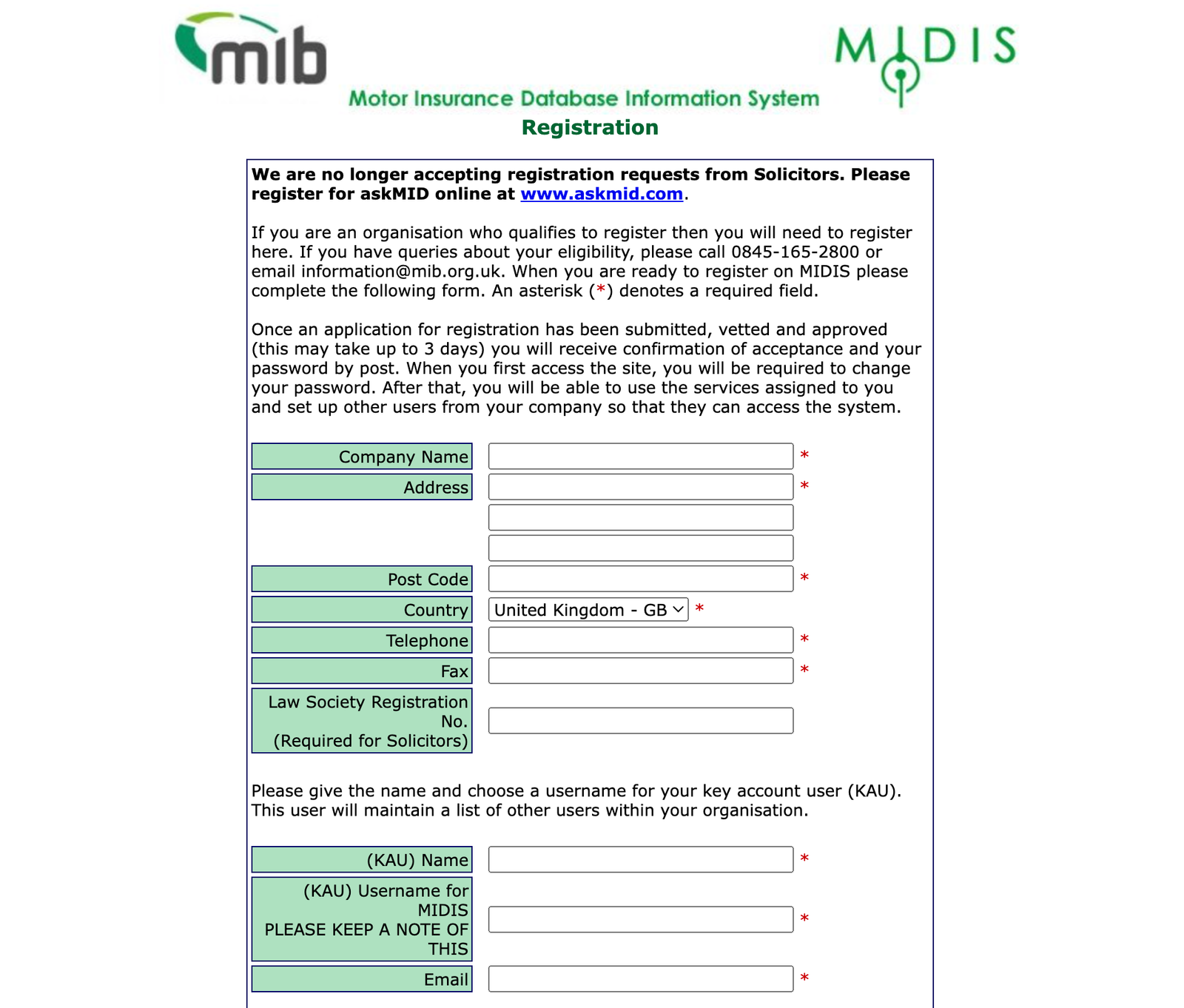
Here are the steps for both scenarios:
1. For Personal Use (Checking Your Own Vehicle)
This service is free and does not require an account or registration. The AskMID service is now part of the new Navigate platform by the Motor Insurers' Bureau (MIB).
- Step 1: Go to the Website.
- Visit the official AskMID website. You will often be redirected to the Navigate platform.
- Step 2: Enter Your Registration Number.
- On the "Check your vehicle" screen, simply enter your vehicle's registration number (license plate).
- Step 3: Read and Agree.
- Confirm that you have read the data protection declaration and terms of use.
- Step 4: Check.
- Click the "Check this vehicle" button to see the result: either a green "Yes, this vehicle is showing as INSURED" or a red "No, this vehicle is showing as UNINSURED."
> Quick Tip: If you've just bought new insurance, it can sometimes take up to 7 days for the Motor Insurance Database (MID) to update. If your policy is definitely active, contact your insurer to make sure they've uploaded the details correctly.
2. For Organizations (Frequent/Third-Party Checks)
If you need to make unlimited third-party enquiries for professional reasons (e.g., solicitors, companies that make multiple checks), you need to register for an AskMID/Navigate account and pay an annual subscription fee.
- Step 1: Apply Online.
- Go to the official registration page for the Motor Insurance Database Information System (MIDIS).
- Step 2: Provide Organization Information.
- You will be asked for details about your organization, such as its name and contact information.
- Step 3: Nominate a Key Account User (KAU).
- You must provide the name and a username for a Key Account User (KAU). This person will be the primary contact, responsible for maintaining a list of other users within your organization, and managing their access.
- You'll need their name, a unique username, and an email address.
- Step 4: Review and Submit.
- Agree to the Terms and Conditions and submit the registration form.
- Step 5: Approval and Access.
- The application will be vetted and approved (this can take up to 3 days). You will typically receive the initial password by post. Upon your first login, you will be required to change your password.
This paid subscription allows your organization's registered users to perform multiple vehicle checks related to valid motor insurance claims.